Website Studio
Where your site becomes a living surface — brought in, edited visually, and kept safe until you publish.
Bring your site in, then change it without fear.
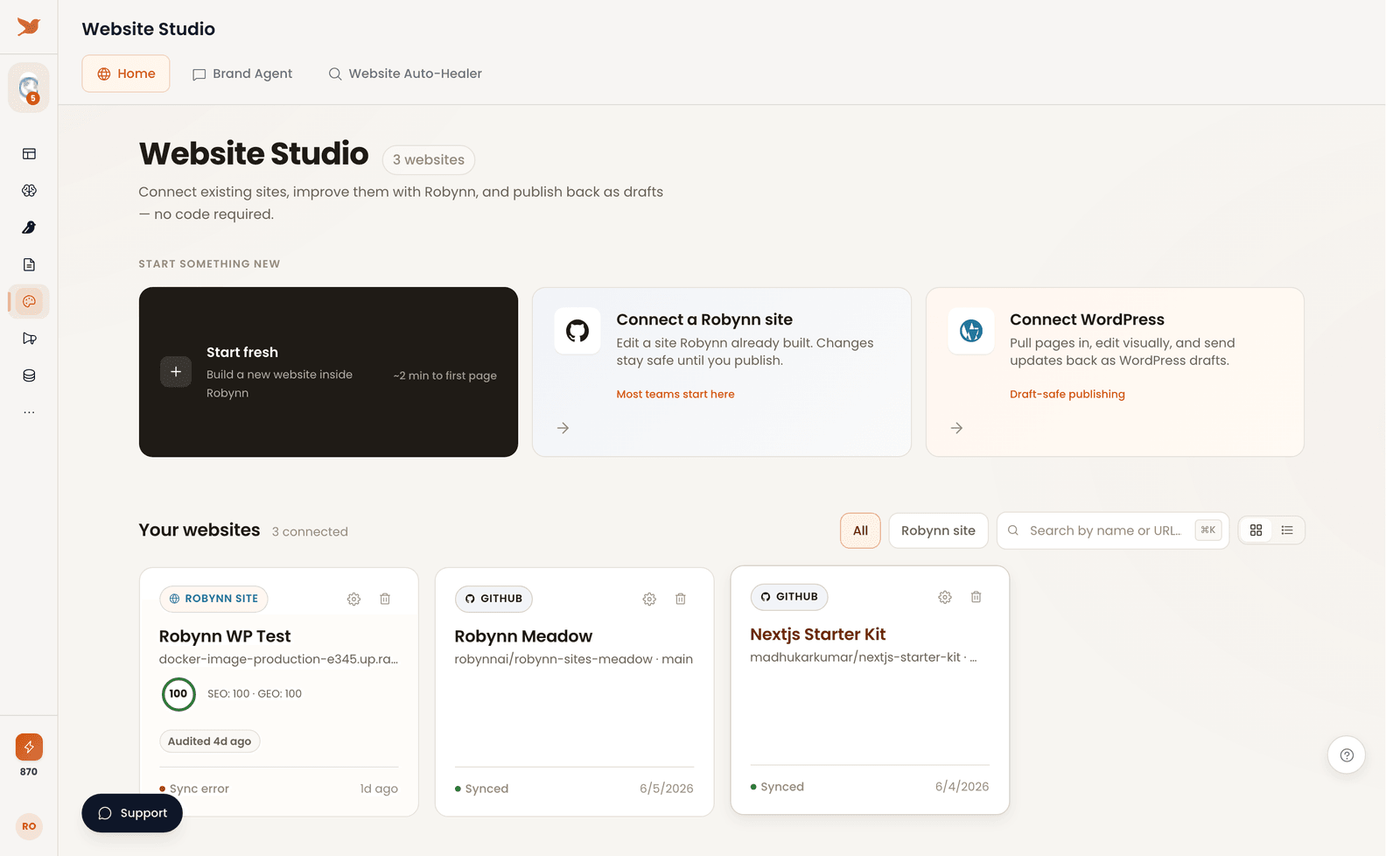
Website Studio is where you build, edit, and optimize your website — every change held draft-safe, so nothing goes live until you publish. The screen opens on "Your websites."
Most editors trade speed for safety. Website Studio keeps both: a Inbound Agent holds edits on brand, and a Website Auto-Healer audits your pages and proposes fixes — and you approve before anything ships.
Bring it in, edit it, heal it.
Bring it in
Start fresh, connect a Robynn site, or connect WordPress. Pages come in ready to edit.
Edit it visually
Shape pages by hand, with every change held draft-safe until you publish.
Let it heal
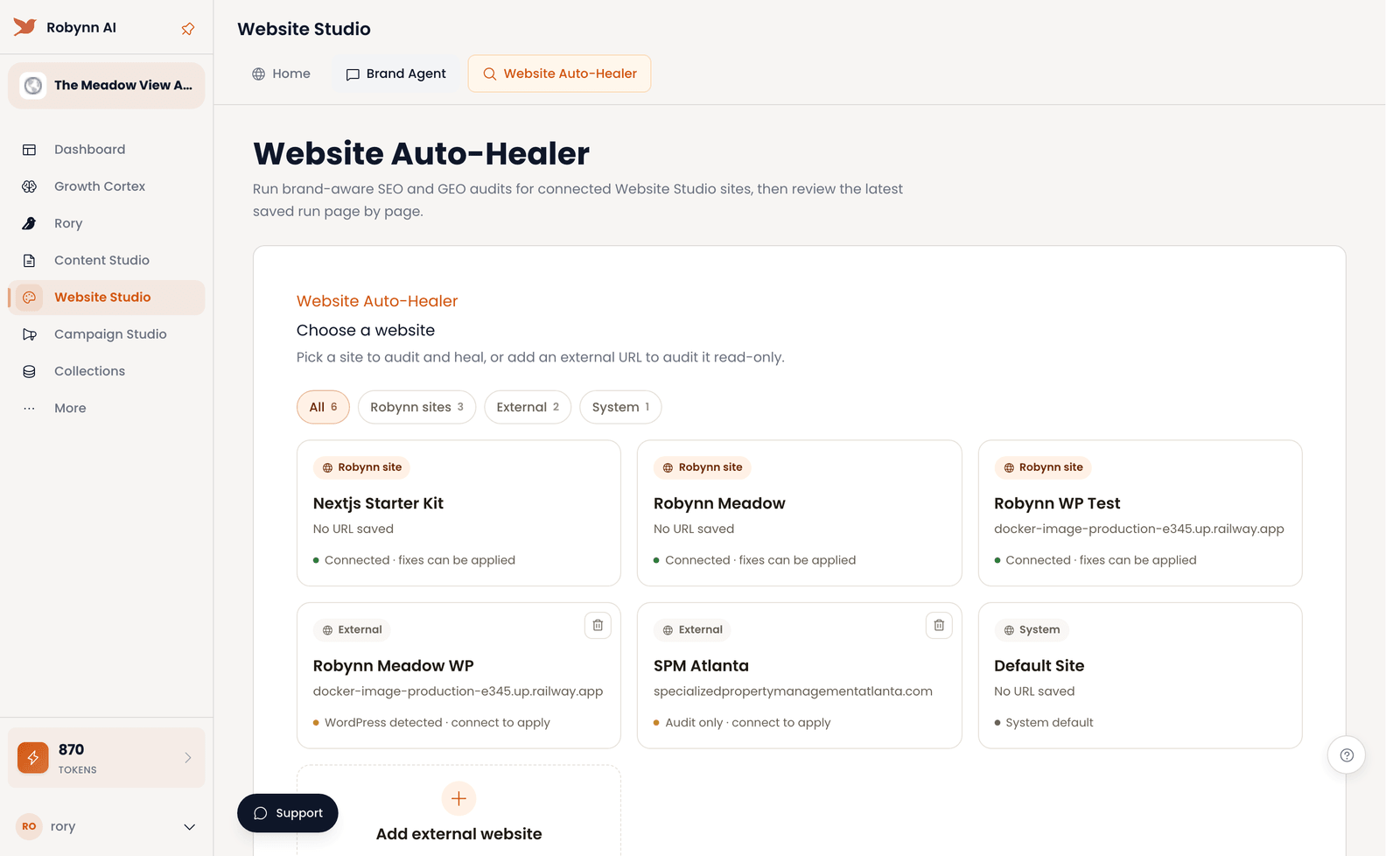
The Auto-Healer audits for SEO and GEO, then proposes fixes you review before applying.
Bring a site in, then let the Auto-Healer fix it.
Bring your site in
Before you start: decide whether you're starting fresh or connecting an existing site.
-
Choose how to start
On the Home tab under "Your websites," pick an entry card: Start fresh to build inside Robynn (about two minutes to your first page), Connect a Robynn site to edit one Robynn already built, or Connect WordPress to pull pages in.
-
Connect the safe way
Most teams pick Connect a Robynn site — your changes stay safe until you publish. With Connect WordPress, updates go back as WordPress drafts, so the live site never moves until you approve.
-
Open a page
Your pages come in ready to edit. Open one and start shaping it by hand — nothing you touch is live yet.
Optimize and publish safely
Before you start: have a site connected from track A.
-
Edit pages visually
Shape each page by hand. Every change stays draft-safe until you publish, so you can rework freely.
-
Run the audit
Open the Website Auto-Healer tab and Choose a website to run the brand-aware SEO and GEO audits across its pages.
-
Review the recommendations
The Auto-Healer surfaces what it found. Read each recommendation and decide what to apply — the calls stay yours.
-
Publish as drafts
Send your changes as drafts. Nothing goes live until you approve it, so the site moves only when you say so.
Your site is in, audited, and publishing as drafts — live only when you say so. Next: point Content Studio at it to keep the pages fed.