What's New in Robynn — Week of June 9, 2026
Website Auto-Healer, a cleaner Website Studio editing surface, and Rory closer to your day-to-day marketing workflows.
Hey there Robynn friends,
This week is about making Robynn feel more active in the work: surfacing what to fix on your website, giving you a cleaner place to make those updates, and keeping Rory close to the marketing data you are already reviewing.
The biggest changes are built around three practical loops: find the pages that need growth work, edit the page where the work actually happens, and ask marketing questions in context.
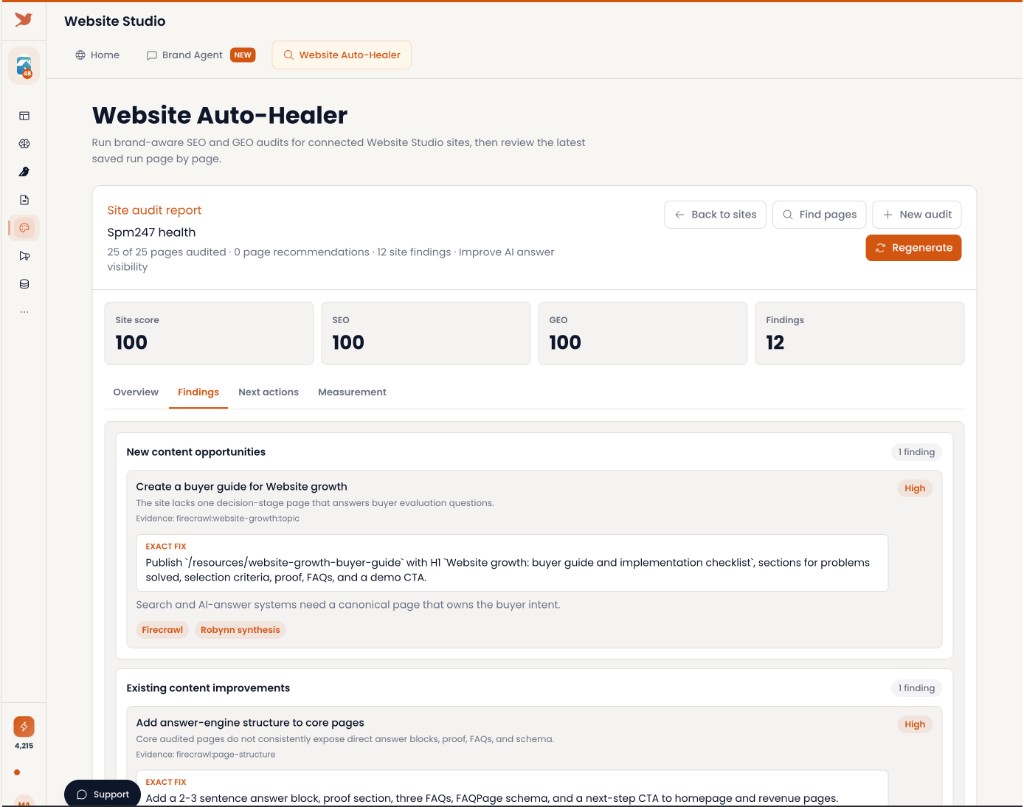
Captured live: Auto-Healer audit findings and exact page fixes.
1. Website Auto-Healer — Find the pages that need growth work
Website Auto-Healer now turns connected-site audits into a clearer repair list. You can review SEO and GEO health, see exact fixes, and prioritize the pages most likely to help with search and AI answer visibility.
- Run brand-aware SEO and GEO audits for connected Website Studio sites
- Review exact fixes like answer blocks, proof, FAQs, schema, and next-step CTAs
- Move from scorecards to concrete page recommendations faster
2. Website Studio — Edit the page where the work actually happens
Website Studio keeps the live page preview front and center, with Rory available on the side when you want help creating or changing a section. The result is less context switching between ideas, files, and publishing.
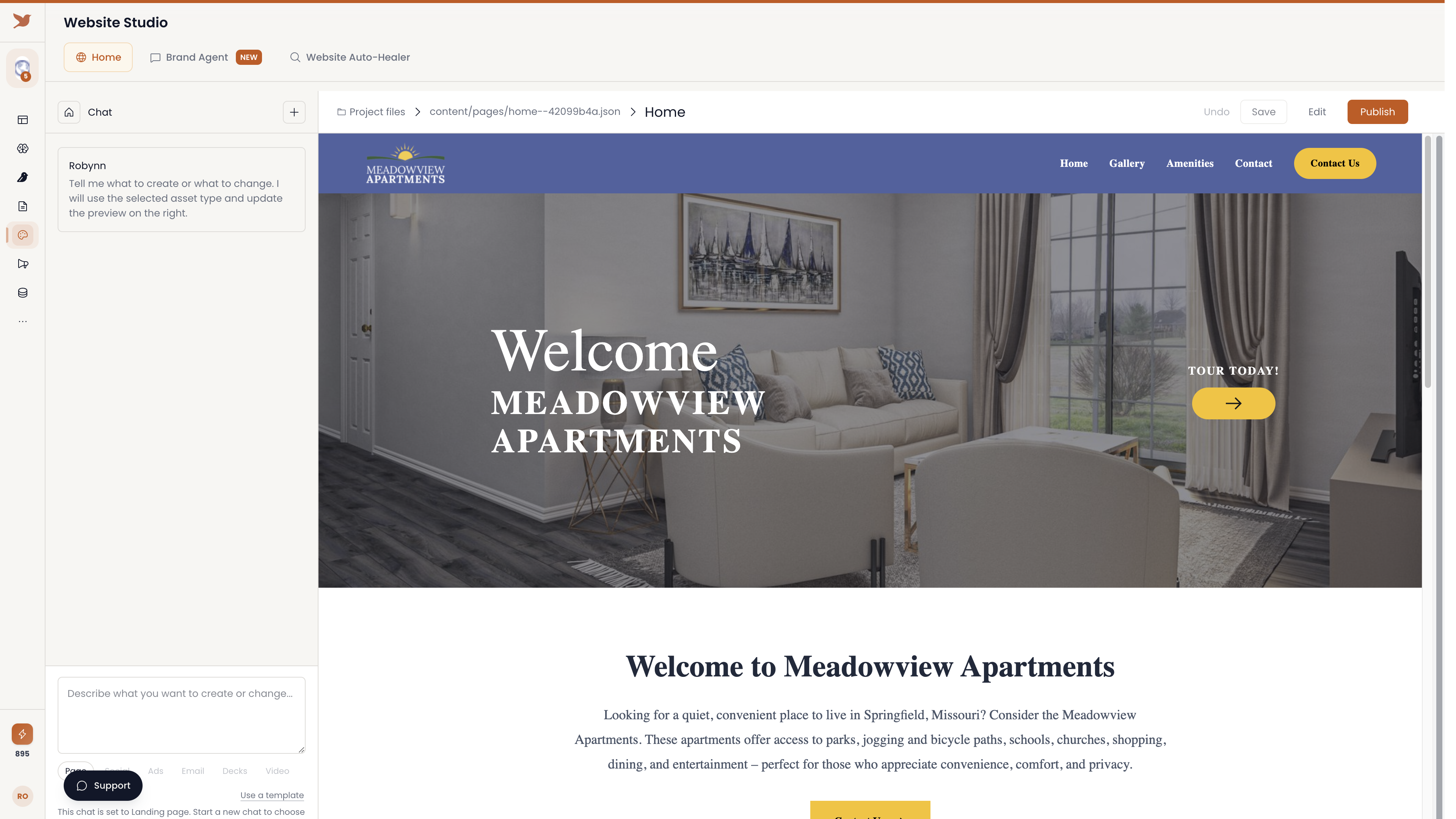
Captured live: Website Studio editor.
- See the real page while you decide what to change
- Ask Rory for section updates without leaving the editor
- Save, review, and publish from the same focused workspace
3. Rory Everywhere — Ask marketing questions in context
Rory is showing up closer to the workflows where marketing teams make decisions. In Collections, you can ask questions about prospects while the list is on screen, then use the answer to guide research, follow-up, or campaign planning.
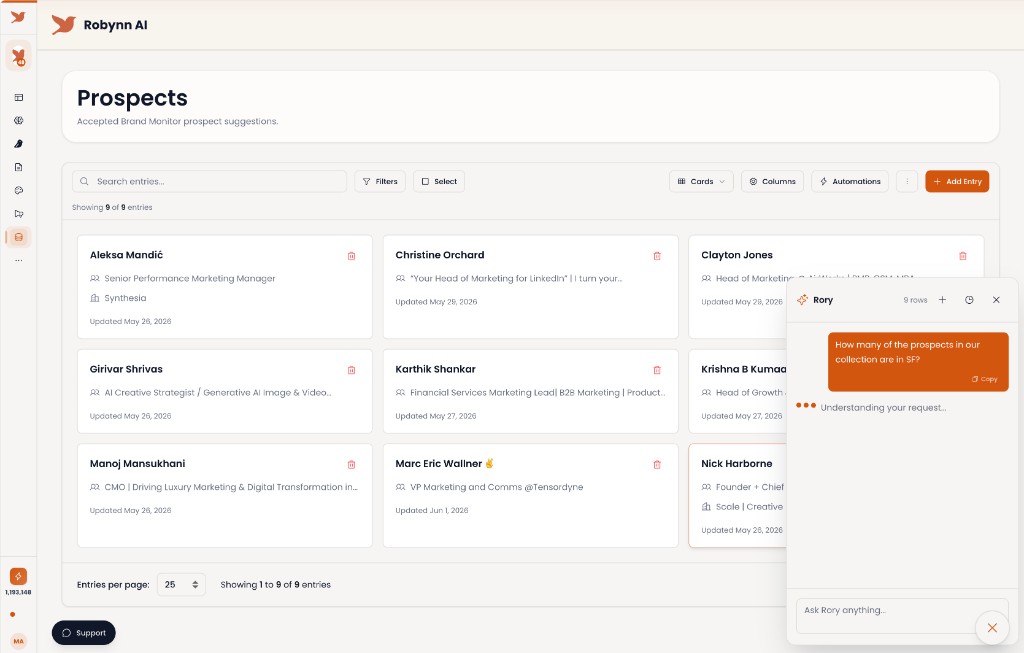
Captured live: Rory answering next to accepted Brand Monitor prospects.
- Ask Rory about the data already visible in the current workspace
- Use Collections as a starting point for prospect and account questions
- Keep analysis, next steps, and action closer together
Please keep the feedback coming, especially around Auto-Healer recommendations, Website Studio editing, and where Rory should appear next.
Cheers,
Madhukar (Founder/CEO)
Questions or feedback? Reach us at support@robynn.ai.