What's New in Robynn — Week of March 27, 2026
Microsite Builder v2, Inbound Agent widget, and smarter Rory — here's what shipped this week.
Hey there Robynn friends,
Spring is here and we are excited to share our first weekly newsletter where we share what we shipped and fixed. Last week we added an inbound agent and improvements to Microsites builder and Rory.
Please keep the feedback coming either by direct mail at madhukar@robynn.ai or let me know if you want to join our Slack for direct conversations.
Cheers,
Madhukar (Founder/CEO)
Microsite Builder v2
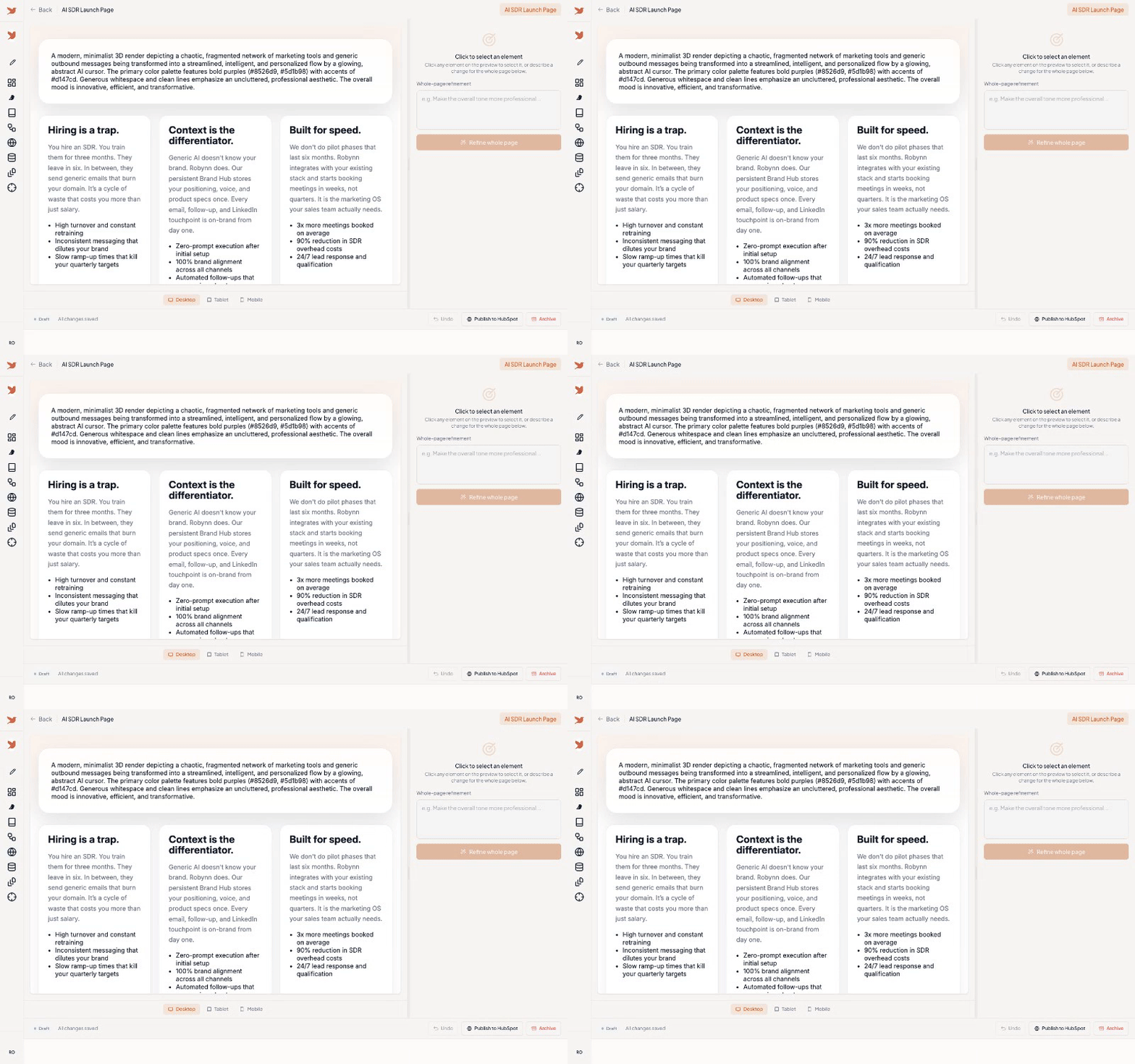
Click any element, refine with AI, switch viewports
Build landing pages and microsites without writing code. The new split-view editor lets you preview your page on the left and refine it with AI on the right.
How it works
- Go to Microsite Builder from your dashboard
- Generate a page from a prompt or browse the gallery
- Click any element to select it, then describe what you want changed
- Undo with Ctrl/Cmd+Z (up to 50 steps)
- Hit Publish to HubSpot to push it live as a CMS Landing Page
Your brand colors, fonts, and visual identity are now automatically injected into all generated pages and images.
Inbound Agent
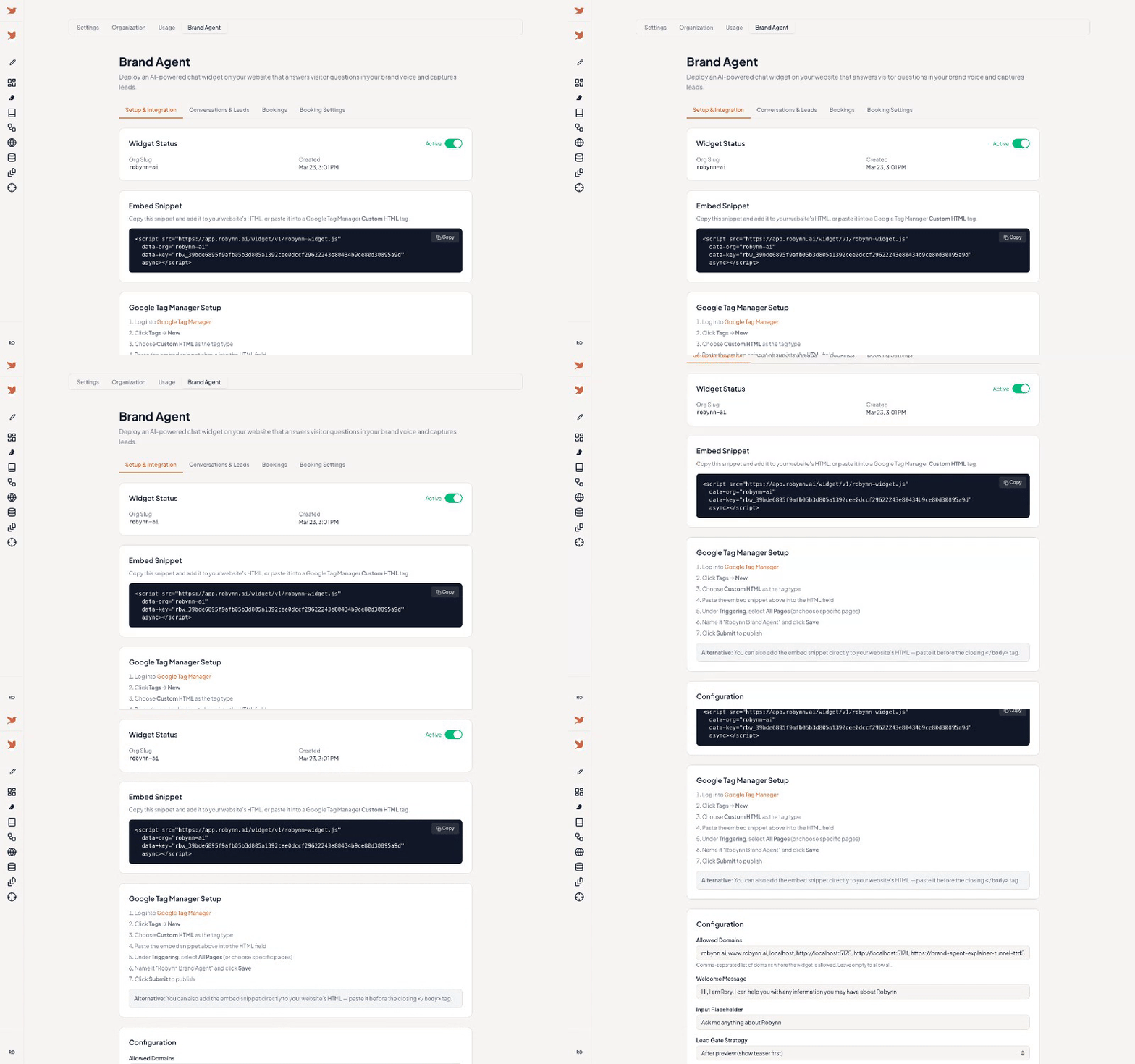
Setup, embed snippet, and lead scoring dashboard
An AI chat widget you install on your website. It knows your brand, engages visitors in real time, and converts them into leads.
How it works
- Go to Settings > Inbound Agent and click Enable
- Configure allowed domains, welcome message, and lead capture strategy
- Copy the embed snippet into your site or use Google Tag Manager
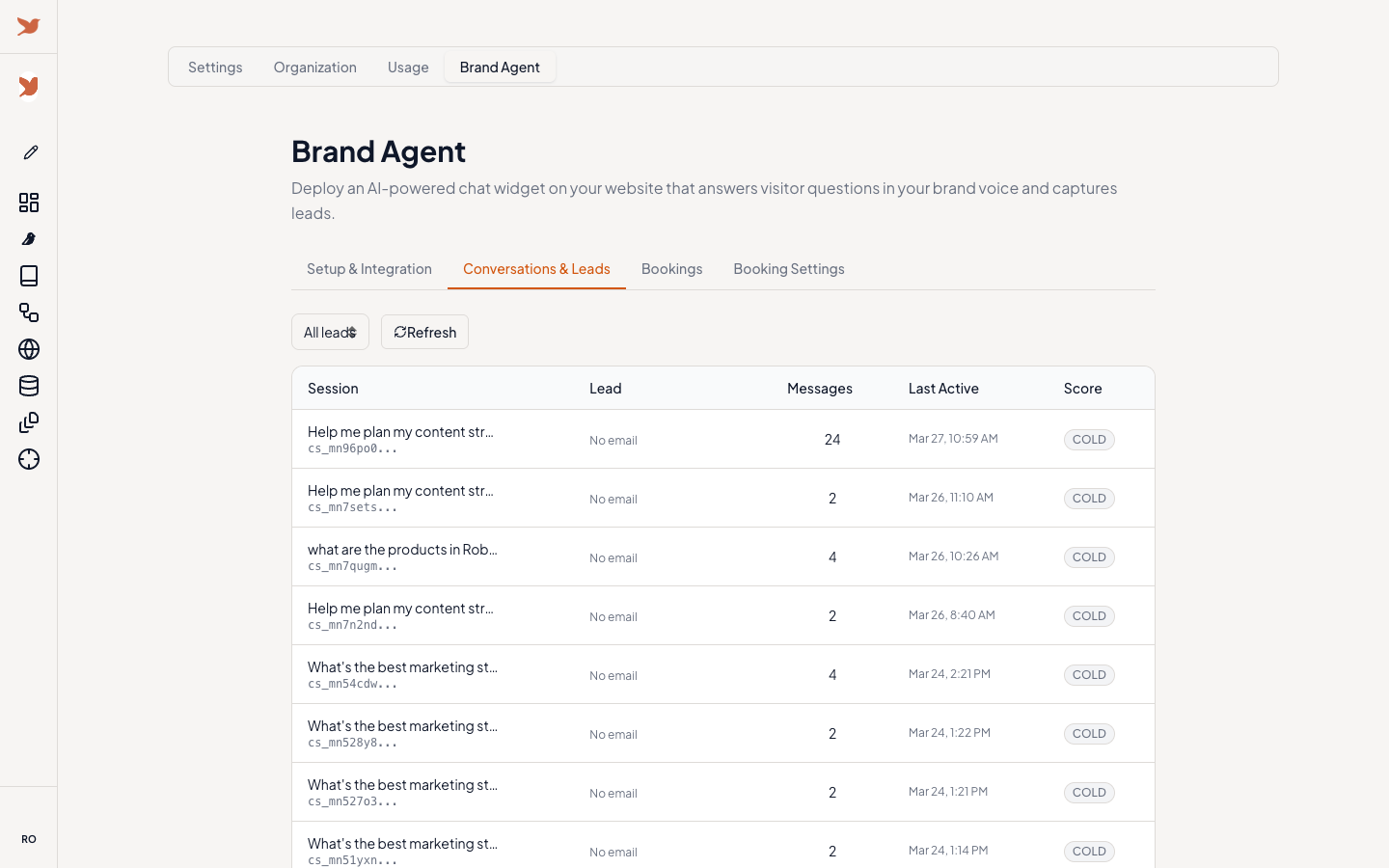
- View conversations and scored leads (hot/warm/cold) in the Conversations & Leads tab
The agent is steered by your Brand Book. Update your brand info there to change how it responds. Meeting booking is coming soon.
See it live at robynn.ai.
Rory Improvements
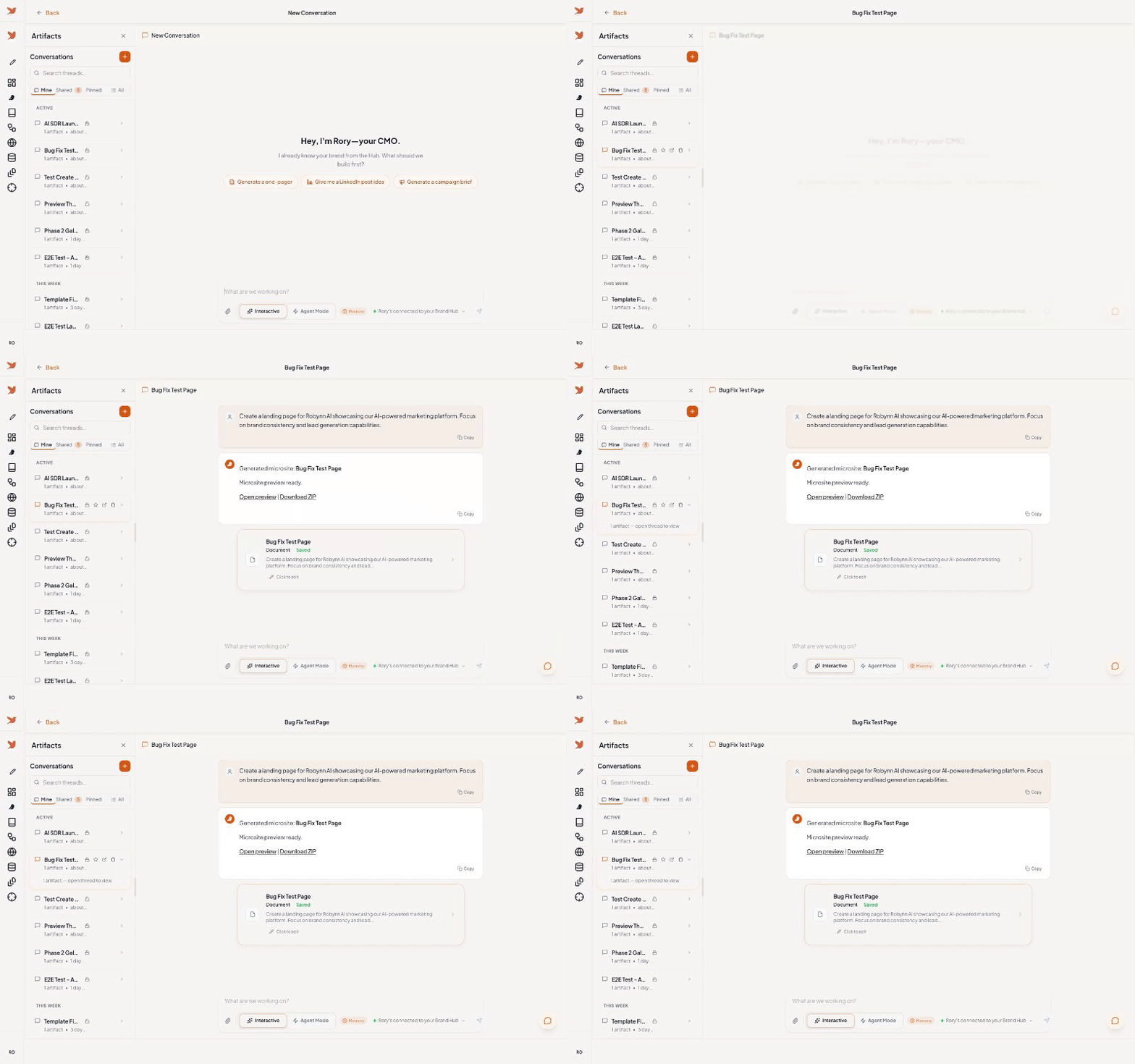
Threads, artifacts, Interactive and Agent Mode toggles
Rory is smarter and more interactive.
Memory — Rory now remembers context across conversations. At the start of a thread, you will see a "What I remember about you" card summarizing your brand facts, preferences, and recent work.
Decision Cards — When Rory needs your input on tone, format, or direction, it presents options as clickable cards instead of open-ended questions.
Content Variations — Generate 2-3 versions of the same content side by side. Compare and pick the one you want.
Outline Editor — For long-form content, Rory proposes an outline you can drag to reorder or toggle sections off before generating.
Section Feedback — Hover over any heading in generated content to thumbs-up, thumbs-down, or regenerate just that section.
Questions or feedback? Reply to this email or reach us at support@robynn.ai.